
MRCH/
By MRCH Editorial
MRCH vs Printify Pop-Up Store: which fits your first drop?
Printify's Pop-Up Store is a genuinely free hosted storefront — no Shopify required. Here is the honest workflow difference for a creator picking a hosted store for a first drop.
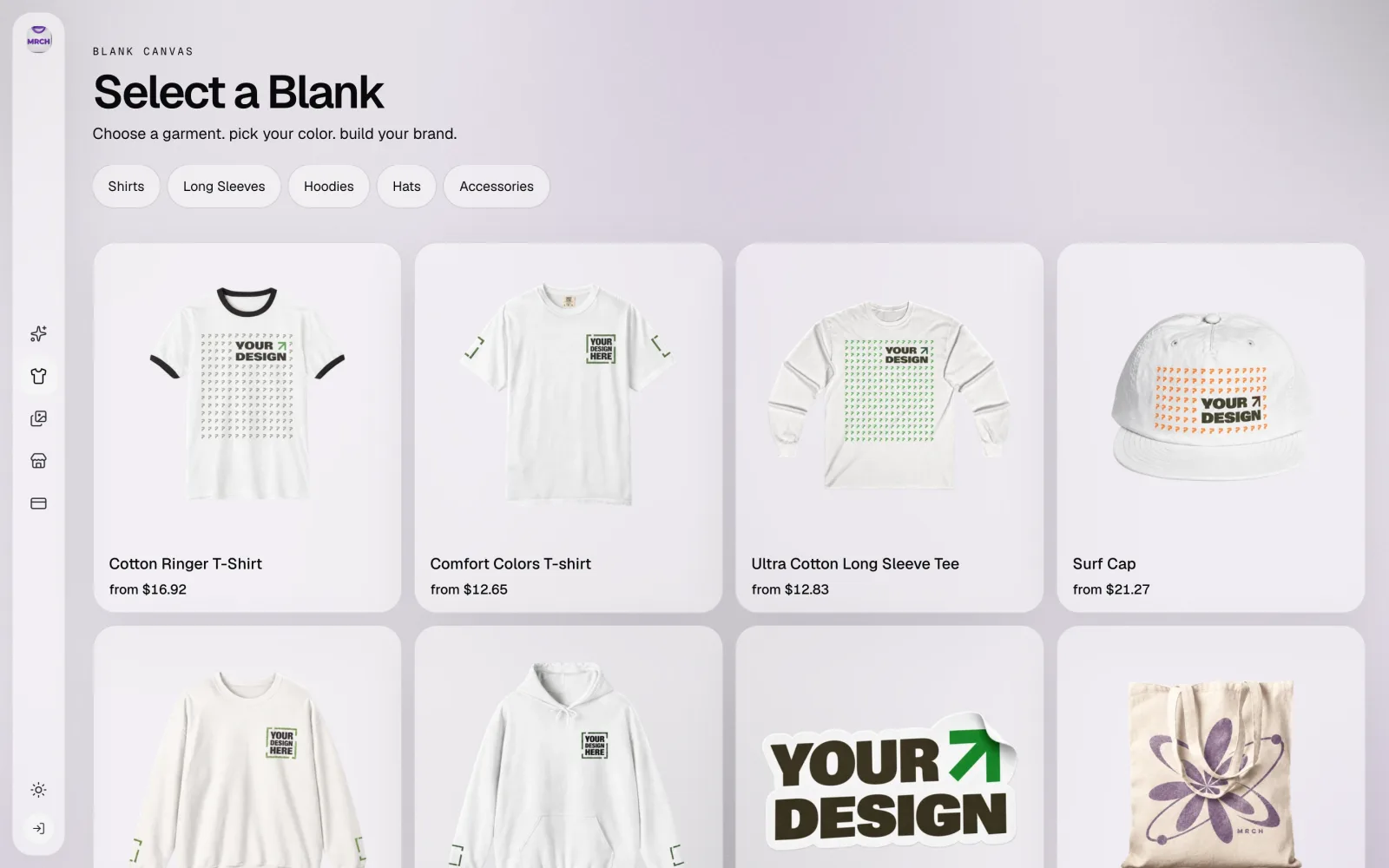
Printify's Pop-Up Store is a real, free, hosted storefront. It does not require Shopify. If you searched for a Printify Pop-Up Store alternative expecting to find a catch in that offer, there isn't one on the facts we could verify — Printify's own page states no setup fees, no listing fees, and no monthly cost. This page does not argue otherwise. It compares the actual difference for a creator picking a hosted store for a first drop: where the design comes from, and how many steps separate an idea from a sellable listing.
Both products can get a hosted merch link online
Printify's Pop-Up Store page (checked 2026-09-21) describes a free, fully hosted storefront: sellers get a shareable link and can add a custom domain, with no separate commerce platform required first. MRCH publishes a seller shop from inside the app after sign-in, at a URL shaped like mrch.shop/{handle}; there is no separate storefront purchase or setup step beyond publishing a product. Both are real answers to "I need a store link without standing up Shopify." Neither is the only one — Fourthwall and Amaze also market hosted storefronts, covered in our Fourthwall alternatives piece.
Who this comparison is for
This is for a creator choosing a hosted storefront for a first drop: one design, one real blank, one link a buyer can open. It is not for a shop that already needs Shopify-level inventory management, wholesale ordering, or a large connected catalog — that job is closer to the bring-your-own-store comparison in MRCH vs print-on-demand platforms.
Eligibility and who is responsible for what
- Printify lists Pop-Up Store as available in 30-plus countries, including the US, UK, Canada, Australia, and most of Europe, per printify.com/pop-up-store (checked 2026-09-21). The page does not publish a single supported-currency list on this pass.
- Printify's payout description on the same page: the buyer pays your set retail price at checkout, Printify deducts the blank's base cost, and pays you the difference. Whether Printify or the seller is Merchant of Record for that checkout was not confirmed — Printify's Help Center article on Pop-Up Store returned an HTTP 403 (Cloudflare) during this research pass, not a 404, so treat that as unconfirmed rather than absent.
- MRCH's guest-open surface is the garment hub. Placing art on a blank, seeing the price screen, and publishing a shop all require sign-in. MRCH does not publish a country-eligibility list in this draft.
- Neither company's full payment-processing or currency-conversion terms are reproduced here. Confirm both on the vendor's own current checkout docs before you commit a real drop.
From idea to a listing: two walkthroughs
Printify's Product Creator (per printify.com/pop-up-store, checked 2026-09-21) is a drag-and-drop catalog editor with a built-in AI Image Generator: you generate or upload an image, place it on a catalog blank, and publish straight to your Pop-Up Store. MRCH's canvas puts the same three moves — pick a blank, get or upload art, place it — on one screen, with a curated style picker instead of a blank prompt box as the default starting point.
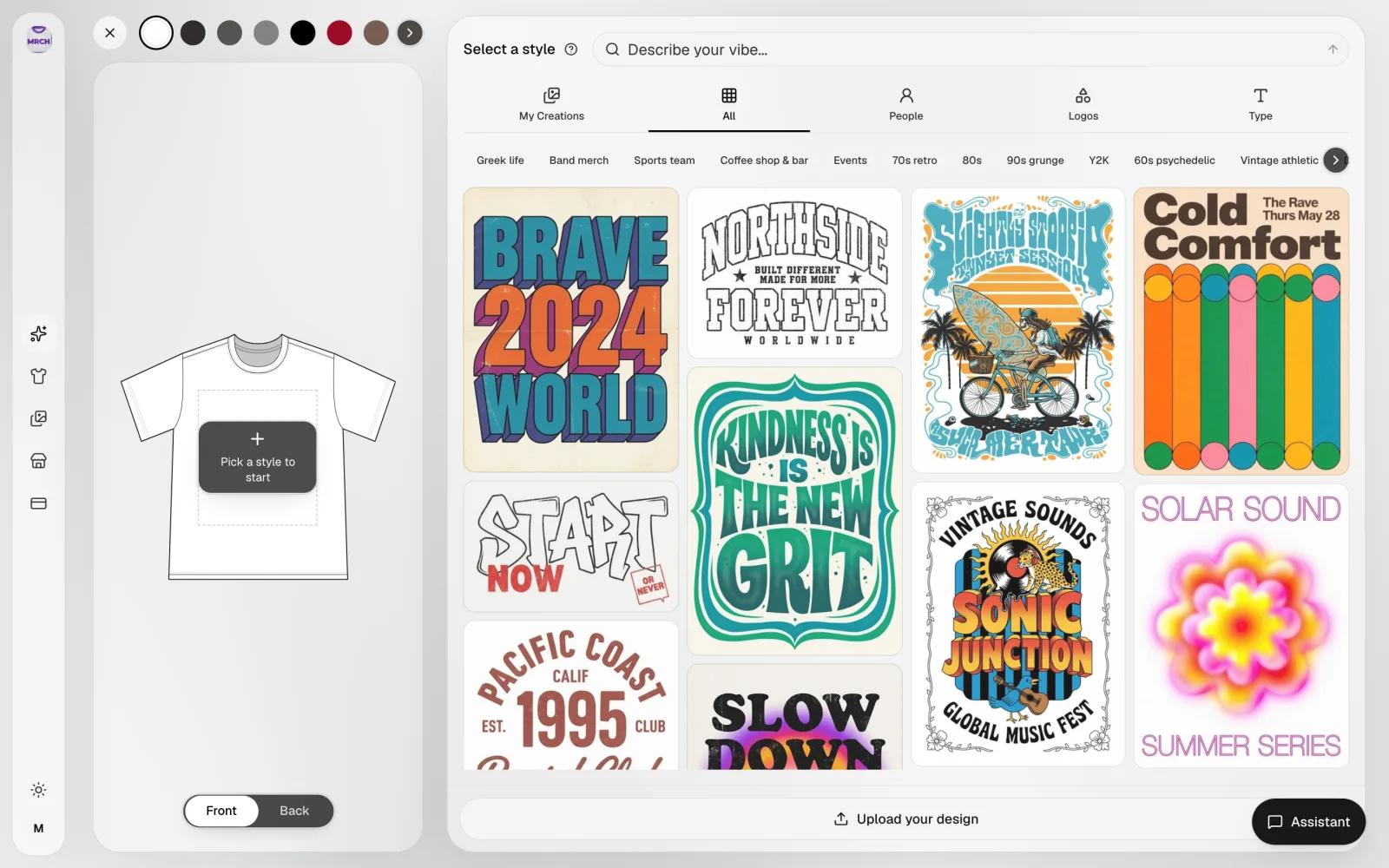
- Prerequisite: Signed into the MRCH app (canvas, price, and publish all require sign-in; the garment hub itself is guest-open).
- Pick a real blank. Start from the garment catalog grid, filtered by category (Shirts, Long Sleeves, Hoodies, Hats, Accessories), with a real from-price on every tile.
- Choose a style, upload, or generate. The canvas opens on the blank with the print area marked. Pick a curated style category, upload your own file, or use the Assistant — no separate design tool to leave and come back from.
- Place and refine on the actual print area. Front/back toggle, undo/redo, and zoom apply against the same dashed print-area box you'll ship on, not a generic mockup frame.
- Read the price screen before you submit. Production cost and estimated profit show in-app before publish. This page does not reprint those numbers as fixed fees — check the live screen.
- Submit and verify the live listing. Submitted is asynchronous. Open the public shop URL yourself, on a second device if possible, before you call the listing done.
- Result: A submitted product listing with a visible production cost and estimated profit. Submitted is not the same as live — confirm the public listing before calling a drop done.
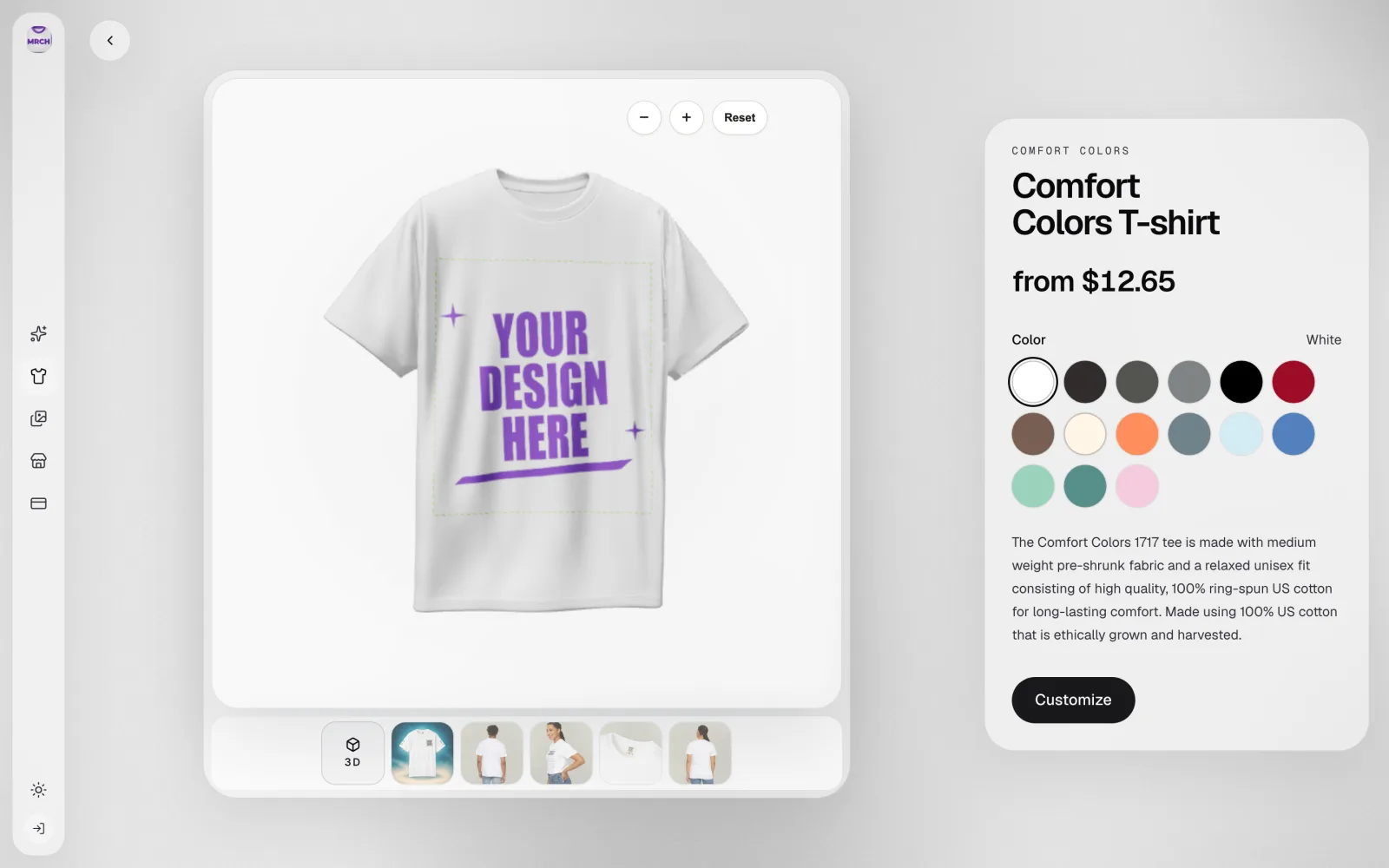
Publishing, checkout, and who gets paid
On Printify, per its own Pop-Up Store page, the flow ends at the same storefront the buyer visits: publish a product, share the link (default hosted URL or an optional custom domain), and Printify handles checkout, deducting the base cost and paying the seller the difference. On MRCH, publishing a product creates a seller shop entry; a Merch Publish Submitted state is not itself a live listing, and this page does not claim MRCH has resolved checkout, tax, or Merchant-of-Record status publicly — that has not been verified for either MRCH or, fully, for Printify's Pop-Up checkout in this pass.
Cost example — and what we will not invent
The table below states what each vendor's own current page says, and marks the rest unknown rather than guessing. It is a filter for a decision, not a scored ranking, and it is not tax or fee advice.
| Row | Printify Pop-Up Store | MRCH | Unknown this draft |
|---|---|---|---|
| Hosting requirement | Free hosted storefront with a shareable link; Shopify not required. Custom domain optional. | Seller shop published from inside the app after sign-in, at mrch.shop/{handle}. No separate storefront purchase. | — |
| Where the design comes from | Product Creator: drag-and-drop catalog editor plus a built-in AI Image Generator. | Canvas: style picker, upload, or Assistant, applied directly on the print area in one screen. | Head-to-head output quality or time-to-listing was not tested this draft. |
| Cost to start | No setup fees, no listing fees, no monthly cost, per Printify's own page. | App install is free; AI generation draws from a credit balance shown at checkout. | Printify's Product Creator subscription tiers, if any, and MRCH's credit pricing are not reproduced here. |
| A real blank-cost example | Adult t-shirt base cost starts at $8.80, per printify.com/pop-up-store. | Comfort Colors T-shirt from $12.65, catalogue from-price shown on the live garment detail screen. | These are two different blanks, not a same-product price test — do not read this as MRCH costing more or less than Printify. |
| Platform / selling fee | Printify states sellers keep the full margin after the base cost; no separate percentage fee stated on the page checked. | No public MRCH platform-fee number exists. | Neither company's full processing/currency-conversion fee schedule is reproduced here. |
| Checkout & payout | Buyer pays your set retail price; Printify deducts the base cost and pays the seller the difference, per its own page. | MRCH shows production cost and estimated profit on an authenticated price screen before you submit a listing. | Merchant-of-Record status for Printify Pop-Up checkout was not confirmed — its Help Center article 403'd (Cloudflare), not a 404, during this research pass. |
| Currency & country eligibility | Available in 30-plus countries (US, UK, Canada, Australia, most of Europe) per Printify's page; a single supported-currency list was not published there. | No published country-eligibility list in this draft. | A matched eligibility table for both platforms was not built this draft. |
Decision checklist
- Pick Printify Pop-Up Store when you want a free hosted link today, you're comfortable starting from Printify's catalog-and-editor workflow, and you don't need memberships, digital products, or a garment-first canvas.
- Pick MRCH when the job is placing art on a real blank first — with a curated style picker, upload, or Assistant on one screen — then publishing a shop from the same app on iOS, Android, or the web.
- Either way, open the live price or payout screen yourself before you commit a real drop. Do not treat any number on this page as your invoice.
- No importer moves a Pop-Up Store into MRCH or back. Budget time to rebuild artwork and listings on whichever path you pick.
If the garment-first workflow is the job you need done, try one product in MRCH: open the garment hub. That page is guest-open; canvas, price, and publish require sign-in, and a submitted listing is not yet a verified live one in this draft.
Sources
- Printify Pop-Up Store — Official docs (checked 2026-09-21). Free, hosted, Shopify not required, custom domain optional, 30+ countries, adult t-shirt base cost from $8.80, payout description.
- Printify Help: What is Printify Pop-Up Store — Registered primary source; returned HTTP 403 (Cloudflare) in this research pass, not a 404. Not read; not used as a fact source here.
- MRCH garment hub — Guest-open next step. Canvas, price, and publish require sign-in.
- MRCH vs print-on-demand platforms — Sibling MRCH article; flagged a dedicated MRCH-vs-Pop-Up page as a separate later piece, which this page is.
Primary sources retrieved 2026-09-21 UTC. Printify facts are from Printify's own current pages, not from our /compare/printify page. Printify's Help Center article on Pop-Up Store returned HTTP 403 (Cloudflare) and could not be read; treated as unconfirmed, not absent. MRCH catalogue from-prices are live-app blank costs captured 2026-09-21, not fees or profit figures. No hands-on Printify Pop-Up Store account was created for this draft. Recheck before 2026-10-21.
FAQ
Is Printify Pop-Up Store actually free? Yes. Printify's own Pop-Up Store page (checked 2026-09-21) states there are no setup fees, no listing fees, and no monthly costs, and that sellers keep the full margin on every sale after the blank's base cost. You do not need Shopify or any other storefront to use it.
Do I need Shopify to sell with Printify? No. Pop-Up Store is a separate, free hosted storefront with its own shareable link and an optional custom domain. Connecting Shopify, Etsy, or another sales channel is a different, optional Printify path — not a requirement for Pop-Up Store.
Does MRCH have a public platform fee? No public MRCH platform-fee percentage exists as of this draft (checked 2026-09-21). Do not treat any number on this page, or on MRCH's homepage, as your invoice — confirm your own numbers on the authenticated price screen before you publish.
What is the real difference between MRCH and Printify Pop-Up Store? Both can get a hosted merch link online without Shopify. The difference is where the design comes from and how many screens separate an idea from a listing. MRCH's canvas puts style selection, AI generation or upload, and garment placement in one screen; Printify's Product Creator is a drag-and-drop catalog editor with an AI Image Generator tool built in. Neither speed nor output quality was tested head-to-head for this draft.
Can I move a Printify Pop-Up Store into MRCH? No importer is claimed here. You would rebuild artwork, product listings, and shop details on whichever path you pick. Opening the MRCH garment hub starts one product; it does not migrate an existing Pop-Up Store.
MRCH
Design it. Price it. Publish.
Continue on AI merch maker — generate art, set a price, and publish a store.