
MRCH/
By MRCH Editorial
Updated
How to Design and Sell Custom Merch with AI
One real MRCH walkthrough, screenshot by screenshot: pick a blank, generate or upload art, check fit and cost in the canvas, then submit a shop listing — with honest limits on what 'submitted' actually proves.
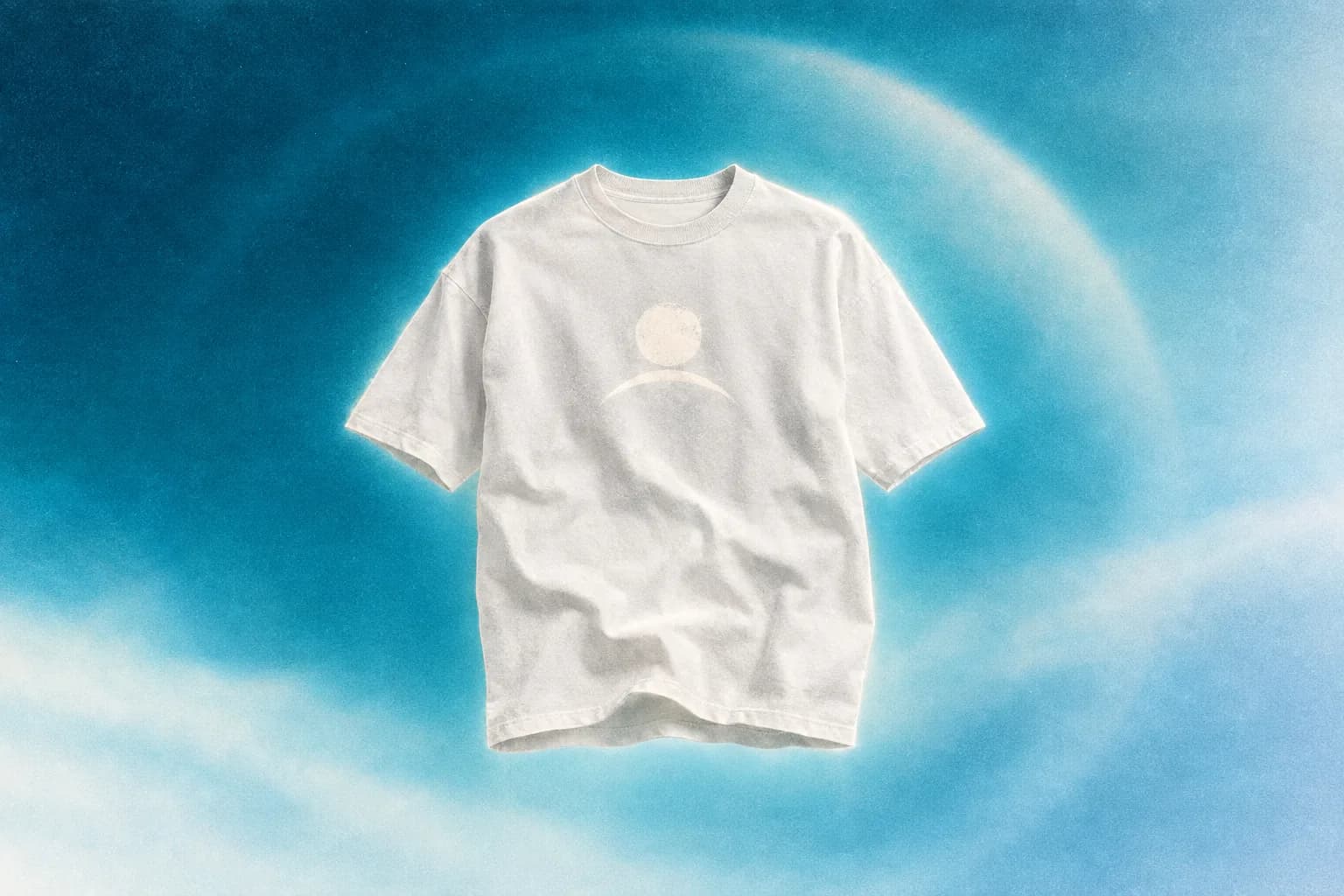
This is one contiguous example, not a checklist you skim and forget. It follows a single audience, a single idea, and a single supported blank from the catalogue grid through to a submitted shop listing, with real MRCH screenshots captured 2026-09-21 at each stage. Where the evidence stops, this guide says so instead of rounding up.
What you need before you start
An account (MRCH runs on iOS, Android, and the web app), an idea you have the right to sell, and a place to send buyers once you have a shop URL. The garment hub is open to browse before you sign in; the canvas, price screen, and shop setup require sign-in.
- A name, character, logo, or short scene you can describe — or a file you already have the right to upload.
- Confirmation the art is yours or licensed. Do not upload trademarks you do not own.
- A PayPal payout email for when you want to receive funds, not before.
The shop you're aiming for
What this example works toward is a submitted product sitting in your own seller shop view, plus a shop URL you can open yourself. That is a smaller claim than it sounds: the seller view is your logged-in side of the app, not proof that a stranger can load a public listing, and not a completed sale. The screenshots below stop at the design steps, which is exactly as far as they can honestly take you.
- Prerequisite: An MRCH account and one idea you have the right to sell. The garment hub is guest-open; the canvas, price screen, and shop require sign-in.
- Pick one audience, one idea, one product. Chose a single audience (a small espresso stand wanting one staff tee), one idea, and one supported blank — the Comfort Colors T-shirt — from the /garments blanks grid, instead of browsing every category.
- Make or upload the art. Opened the canvas, picked a style category that matched the idea, and generated a design — or opened Upload your design to place an existing logo instead.
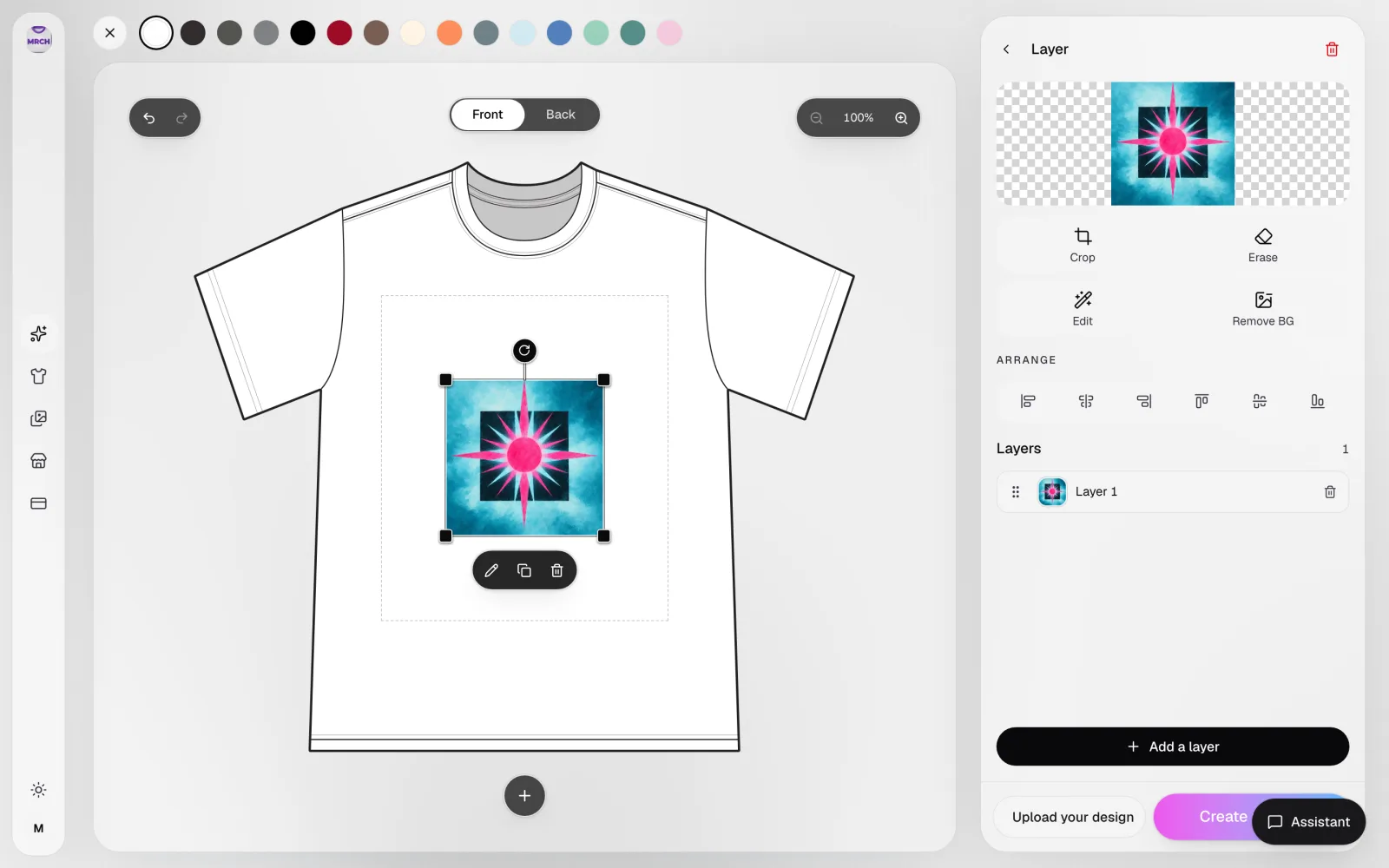
- Check fit, scale, and background in the canvas. Looked at the placed design inside the dashed print-area box on the actual tee, using the Front/Back toggle and zoom, instead of trusting a square social crop.
- Read the live cost, then choose a price. Opened the price screen and read the current production cost against the blank's own from-price before choosing a sale number — not a number reproduced in this article.
- Finish the shop and account setup. Set a shop name (slugified; duplicates are rejected) and added a PayPal payout email, since a live store needs a seller before anything can go public.
- Submit, then verify what's actually public. Submitted the product. The app shows Merch Publish Submitted — that is a submission receipt, not confirmation of a live listing, so the next real check is opening the shop URL directly.
- Result: A submitted product and a shop URL worth checking — not a confirmed sale, not a verified public listing, and not a photo of a printed garment. This example stops at what a screenshot can actually prove.
Step 1 — Pick one audience, one idea, one supported product
Say you run a small espresso stand and want one staff tee your regulars would actually wear — not a merch line, one shirt. Start at the garment hub and pick from the real blanks grid: Shirts, Long Sleeves, Hoodies, Hats, and Accessories, each with its own catalogue from-price. Pick the garment before the art, so the composition matches the actual print rectangle instead of a social crop.
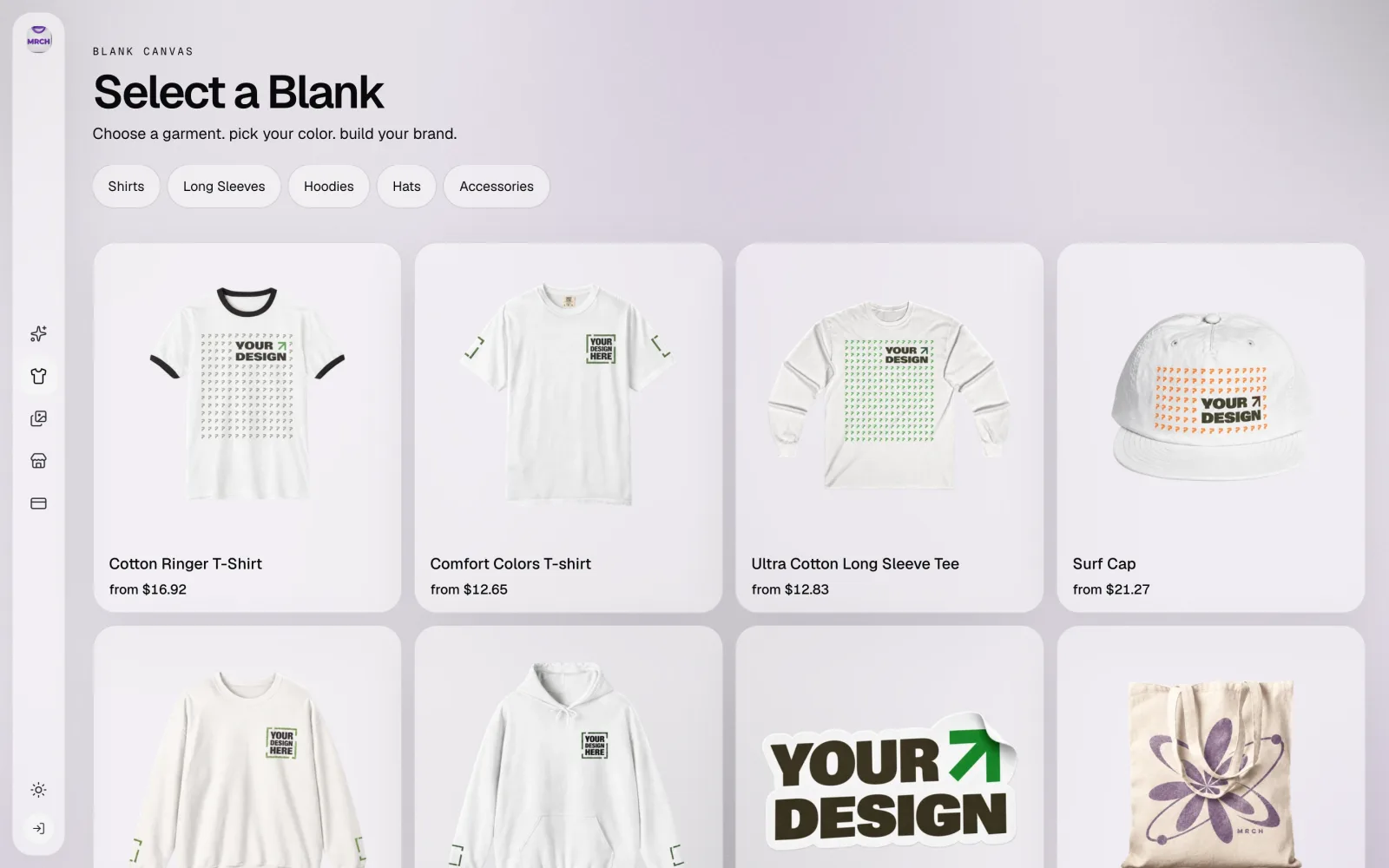
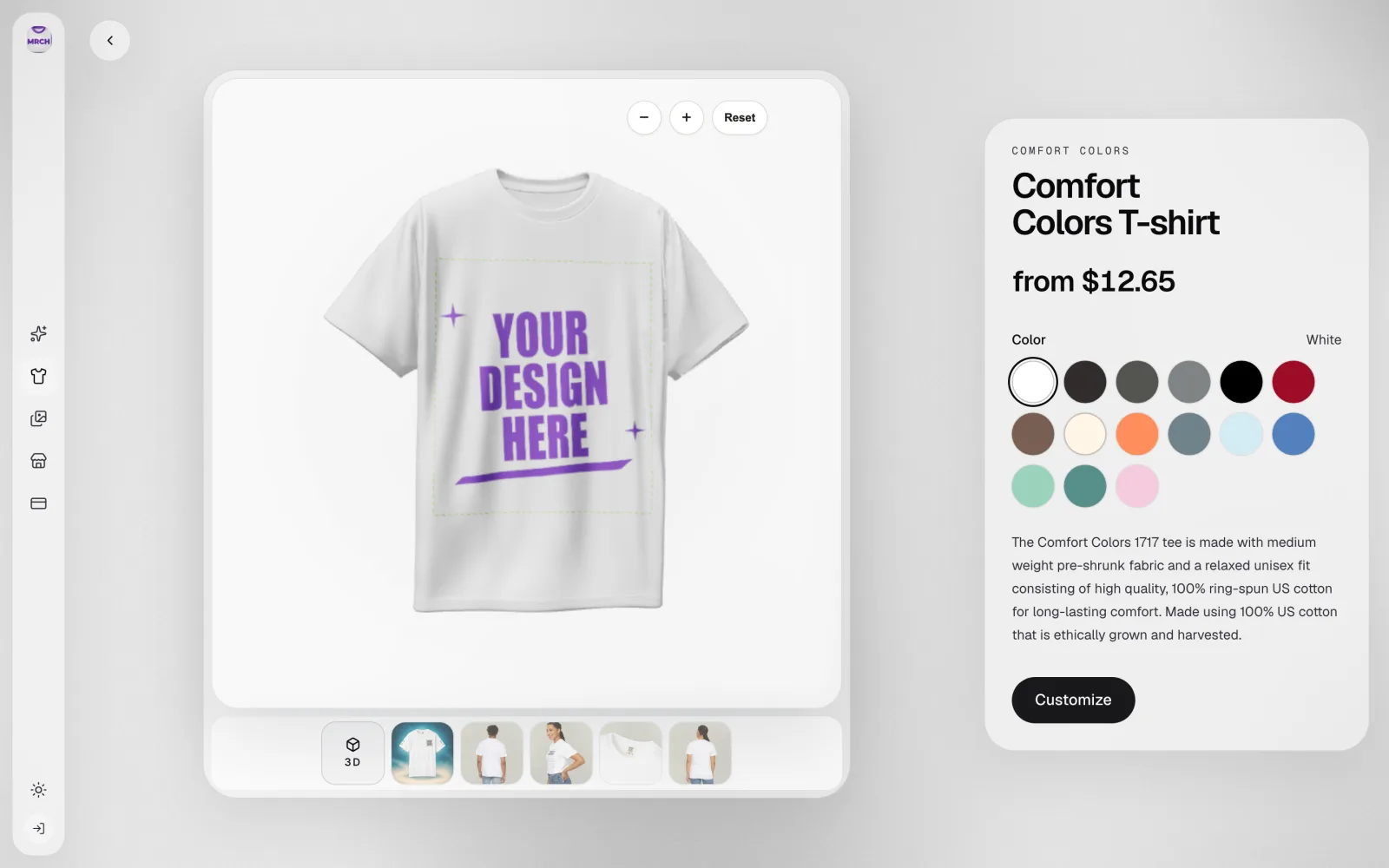
This example picked the Comfort Colors T-shirt: 15 colour swatches, a 3D view plus model photos, and a catalogue from-price of $12.65 — that is a blank cost, not a fee or a profit figure, checked 2026-09-21. Custom t-shirt design covers the tee path in more depth; custom hoodies if your idea is fleece instead.
Step 2 — Make or upload the art
Tap Customize and the canvas opens on the blank with the print-area box marked in a dashed outline. From here you either pick a style category and generate, or open Upload your design and place a file you already have. Both paths land in the same Customize panel: a "Describe your design idea" field, Add text, and +Avatar / +Scene / +Logo / +Asset options next to Generate.
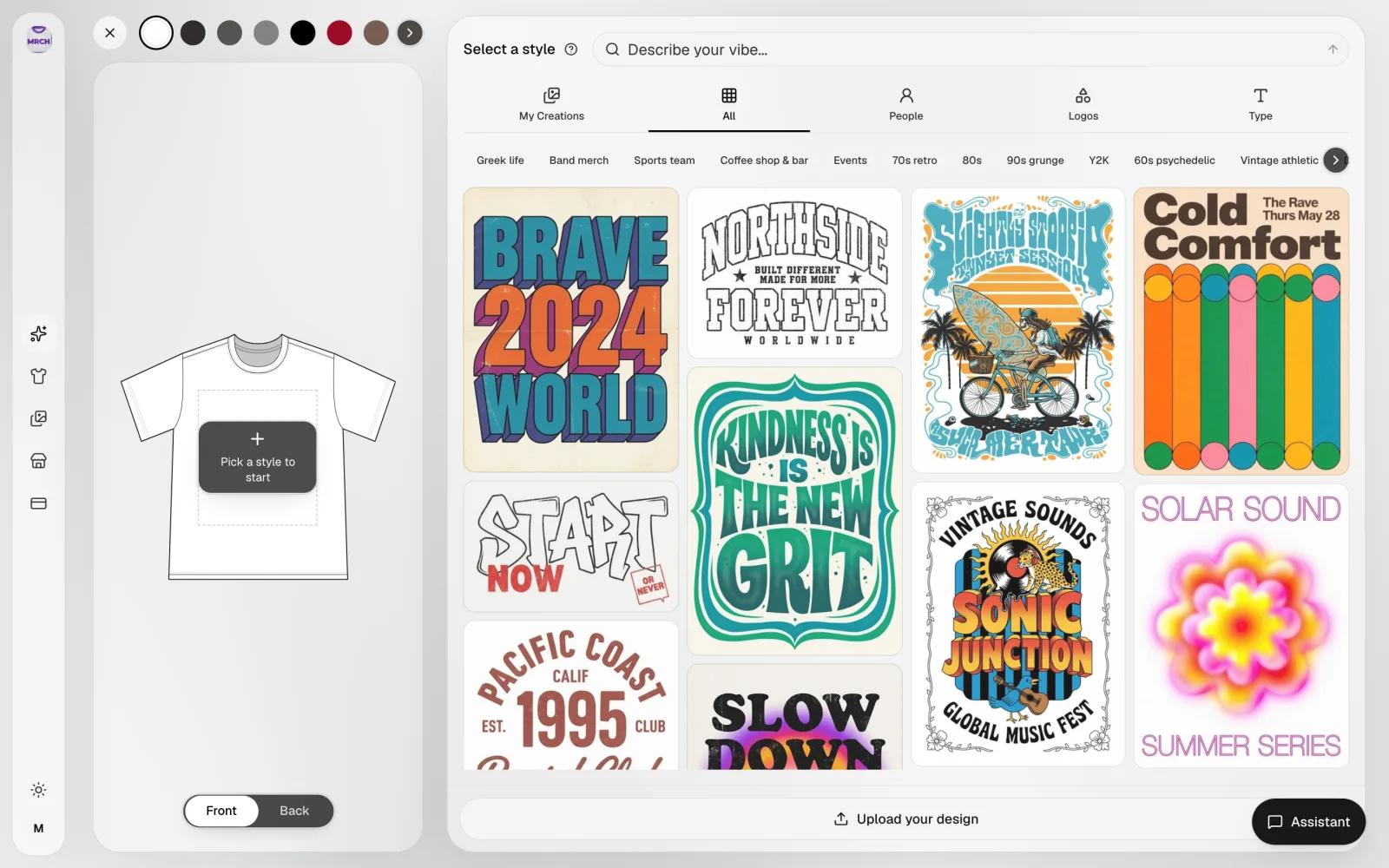
For the staff-tee example, the upload path is just as real a first move as generating — if the espresso stand already has a logo it has the rights to, it goes on the actual print area through the same 'Upload your design' button shown above, instead of a mockup outside the app.
Step 3 — Check fit, scale, and background in the actual canvas
Once a file lands, the check is not the upload or generation preview — it is the placed result inside the print-area box, on the real garment, at real proportions. Use Front/Back, the zoom control, and undo/redo to confirm the design does not crowd the seams and reads at print size, not thumbnail size.
Step 4 — Read live costs, then choose a price
After the design is placed, the price screen shows current production cost against the price you set — the number that matters is whatever the app shows you at that moment, not a figure printed in this article. This example's blank has a catalogue from-price of $12.65, checked 2026-09-21; the price screen adds whatever the design and product configuration cost on top of that. Do not publish until you have looked at the cost screen, not only the canvas preview.
No platform fee, cut, or payout percentage is published here. If you have seen a dollar figure on the MRCH homepage, treat it as an illustration, not a number this walkthrough verified.
Step 5 — Finish the shop and account setup
A live store needs a seller. Set a shop name — it gets slugified, and duplicates are rejected — and add a PayPal payout email once you actually want to receive funds. Publishing without a seller sends you to shop setup first; that is expected behaviour, not a bug in this walkthrough.
- Choose a shop name you can say out loud and put on a flyer for the actual espresso stand, or your own equivalent.
- Add a payout email only when you are ready to take orders — no payout email connected means no way to receive funds even after a product goes public.
- Keep one shop. Extra storefronts split attention; extra products do not.
Step 6 — Submit, then verify what's actually public
Submitting a product shows Merch Publish Submitted in the app. That confirms the request went through — it does not confirm a stranger can open the product page. The creations list on the authenticated side is where a submitted product shows up for you; it is still your logged-in view, not a public check. The only check that settles it is opening your own shop URL somewhere you are not signed in.
Common failure cases, and where to get help
Publishing does not always resolve instantly or cleanly, and that is worth showing rather than editing out.
- Publishing with no seller shop yet redirects to shop setup — finish that step, then submit again.
- A design that looked fine as a square crop can fail once it is scaled into the dashed print-area box; fix it on the actual canvas, not with an outside crop tool.
- A duplicate shop name is rejected at setup — pick a name nobody else on MRCH has already taken.
- Submitted does not always mean immediately public. If the product does not show on your shop URL soon after submitting, treat it as pending and check again rather than assuming it failed or assuming it is live.
- No payout email connected means a product can go public with no way for you to get paid on it — connect PayPal before you expect real orders.
- This walkthrough's screens are dated 2026-09-21. If your own screen looks different, trust what is currently in front of you over this article.
If you want the zero-inventory model in isolation, read print on demand without inventory or start a merch brand with $0. If you are choosing software first, read best app to sell merch. Musicians who need covers and posters as well as tees should use Backstage AI instead of stretching a generic merch app into a full visual system.
Run one product yourself: https://www.sellmerch.ai, the App Store, or Google Play.
Sources
- MRCH garment hub — /garments — Blanks grid and catalogue from-prices, screenshot captured 2026-09-21.
- MRCH seller shop — Authenticated seller shop view, screenshot captured 2026-09-21. Not a public buyer page.
- MRCH creations list — Authenticated creations list, screenshot captured 2026-09-21. Confirms submission on the seller's own side only.
Screenshot evidence captured 2026-09-21 from an authenticated MRCH dev session against the production API. No competitor claims are made in this article; the catalogue from-price cited is read directly off the captured garment-detail screenshot, not reproduced from a separate price table.
FAQ
What does it mean to design and sell merch in MRCH? You finish a print-ready file on a real blank, read production cost against your price, and submit a listing to your shop. MRCH is an AI merch maker plus print on demand — not a mockup folder.
Do I need inventory to sell custom merch? No. Start for $0: listing first, print after checkout. Production still costs money on each paid order.
Can I upload my own art instead of generating? Yes. Generate when you need a new illustration. Upload a logo or drawing you already have the right to sell — the canvas has a dedicated 'Upload your design' button for that path.
Does submitting a product mean it's live for buyers right away? Not automatically. MRCH shows a submitted state after you publish. Treat that as pending until you open your own shop URL and see the product there yourself — this walkthrough does not claim a confirmed live listing.
Is this only for t-shirts? Tees are the usual first SKU. Hoodies, hats, and other blanks live in the same catalogue grid — see custom hoodies before you copy a tee price onto fleece.
How do I design and sell custom merch? Pick a blank in MRCH, generate or upload the art, set a price against the cost the app shows, and submit the listing — you do not buy inventory first. Merch Publish Submitted is a receipt, so open your shop URL and confirm the product is public before you share it. Start at https://sellmerch.ai.
MRCH
Design it. Price it. Publish.
Continue on Start for $0 — generate art, set a price, and publish a store.